Nestling Labor
Time contractions from iPhone or your wrist.
A focused contraction timer from the team behind Nestling. Start the first contraction in the iPhone app or with a tap on Apple Watch. Once the session and Live Activity are active, glance at timing on your Lock Screen or start and end contractions while the iPhone stays locked, without reopening the app. Siri is the only hands-free path and opens the app.
Download on the App StoreCompletely free — no paywall, no ads, no subscription
Contraction timer
Free, one-tap, fully offline. Your data stays on this device only.
0
Contractions
—
Avg apart
—
Avg length
Timing sample in progress
One contraction logged — keep tracking to see a pattern.
This browser tab cannot send alerts while your screen is off or the tab is in the background — it only recomputes when you return to it. For Lock Screen and Apple Watch timing that keeps working while you sleep, see the app below.
This tab can't watch contractions while your screen is off.
Start the session in the iPhone app or with a tap on Apple Watch. Once the session and Live Activity are active, the Lock Screen offers a read-only glance plus one-tap Start or End while the iPhone stays locked, without reopening the app. Apple Watch stays tap-based at your wrist, while hands-free Siri timing opens the app.
Get Lock Screen & Apple Watch timingWhat it does
Active-session Lock Screen controls
Start the first contraction in the iPhone app or on Apple Watch. Once the session and Live Activity are active, you can glance at timing or use Start or End while the iPhone stays locked, without reopening the app.
5-1-1 timing pattern
See whether your contractions are forming the 5-minutes-apart, 1-minute-long, 1-hour pattern many providers ask about. It's a timing summary, not a diagnosis — follow the personalized guidance from your maternity care team.
Partner share
Send an unlisted, revocable link your partner or doula can open from anywhere — anyone you give the link to can see your contractions update in real time. Up to 5 watchers per session.
Apple Watch native
A real watchOS app with complications, not a phone-mirror. Tap from your wrist to time; data syncs back to the iPhone when connectivity allows.
Siri hands-free timing
Ask Siri to start or stop a contraction when you cannot tap a device. Siri is the only hands-free path and opens the app; Apple Watch uses an intentional wrist tap.
Completely free
Every feature is free — unlimited timing, full history, CSV and PDF export, Apple Watch, and one-tap locked-screen controls once the session and Live Activity are active. No paywall, no ads, no subscription, and nothing to buy inside the app.
Why we built this
We started from one fact: the phone is across the room when the contraction actually starts. Start the first contraction in the iPhone app or with a tap on Apple Watch. Once the session and Live Activity are active, the Lock Screen gives you a read-only glance plus one-tap Start or End while the iPhone stays locked, without reopening the app. Siri is hands-free, but it opens the app. A trusted person can follow through partner share.
It also hands off to a baby tracker when baby arrives. Nestling Labor is completely free, so there is no paywall to interrupt an active contraction.
Medical disclaimer
Contraction Timer by Nestling is for informational purposes only. It is not a medical device, does not provide medical advice, and is not a substitute for professional medical care. The 5-1-1 prompt and all session data are provided to help you communicate with your healthcare provider — they do not replace clinical judgment. Always contact your doctor, midwife, or hospital labor and delivery line if you are uncertain or concerned.
Follow the plan you made with your maternity care team and contact them whenever you are uncertain or concerned. For an emergency, use your local emergency service. Do not delay seeking care because of anything shown by a timer.
How it works
- 1. Start the session and first contraction — use the iPhone app or tap in the Apple Watch app or complication.
- 2. Time the active session. Once the session and Live Activity are active, glance at timing or use Start or End while the iPhone stays locked, without reopening the app. Apple Watch uses a wrist tap. Siri is the only hands-free path and opens the app.
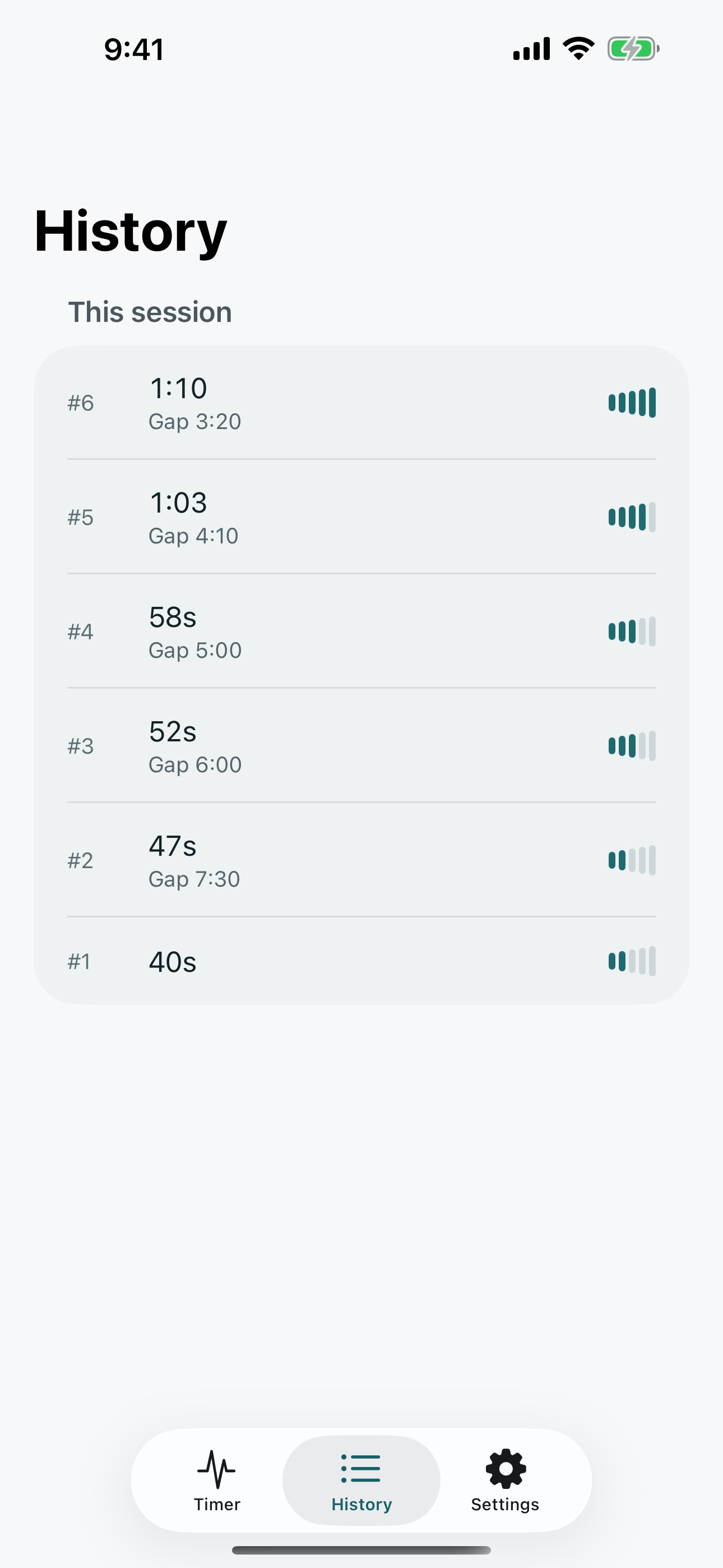
- 3. Watch the pattern emerge. Nestling Labor records each duration and gap. When intervals tighten, you'll see the 5-1-1 timing summary the moment the pattern is met.
- 4. Share with your partner. An unlisted, revocable link lets anyone you give it to watch from anywhere with the same data you see.
- 5. Tap "Baby arrived" when it's time. Nestling Labor closes your timing session and offers to hand you off to Nestling for newborn tracking.
Frequently asked
Is this a medical app?
No. Nestling Labor is a timer, designed to help you communicate with your provider. It does not diagnose, detect, or predict labor. The 5-1-1 summary describes a timing pattern many U.S. providers ask first-time parents about — it is not a signal to act on by itself, and your own care team's instructions always supersede anything you see here. Call them whenever you are unsure, and right away if your water breaks, you have heavy bleeding, constant severe pain, or reduced fetal movement.
Does it work without internet?
Yes. Timing and history work fully offline. Once the session and Live Activity are active, the Lock Screen glance and locked-screen controls also work offline. Partner share requires internet on both devices.
What if I'm uncertain whether I'm in labor?
The app cannot determine that. Follow the plan from your maternity care team and contact them whenever you are uncertain or concerned. Use local emergency services for an emergency.
How does Nestling Labor relate to Nestling?
Nestling is our baby tracker for after birth (sleep, feeds, diapers, growth). Nestling Labor is the focused contraction-timer companion. When you tap "Baby arrived" in Labor, you can hand off to Nestling with one tap so your timeline stays continuous.
Does Contraction Timer cost anything?
No. It is completely free — no paywall, no ads and no subscription, and every feature is included. An older “Forever Unlock” product still appears on the App Store listing, which is why Apple shows an In-App Purchases badge, but it is not offered for sale in the app and nothing requires it.
Privacy + data
Contraction Timer by Nestling handles session records as described in its Privacy Policy. The partner-share feature uses a temporary token that expires within 48 hours and you can revoke at any time. We never share your labor data with advertisers, never sell it, and never train AI on it.
Download on the App Store